polar-flow-server
Self-hosted health analytics for Polar devices — own your data, analyze it against your own baselines, and let your AI assistant read it.
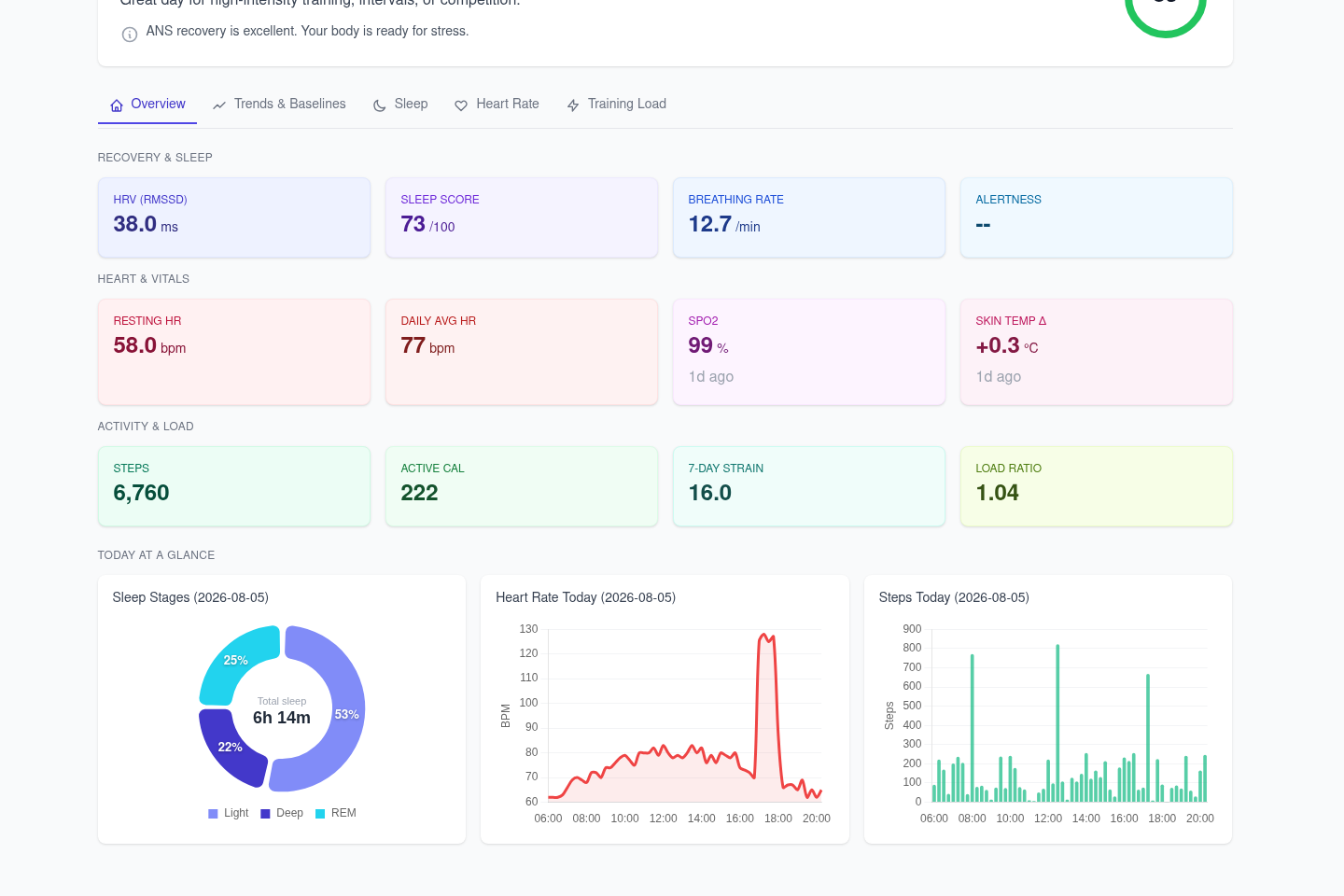
What This Does
Your watch knows more about you than you do, and Polar's API only serves the last 28-30 days of it. This server:
- Syncs all 13 Polar API endpoints automatically and keeps the history forever
- Stores everything in a local PostgreSQL database — no cloud between you and your data
- Runs analytics: personal baselines, IQR anomaly detection, overtraining risk, sleep-HRV correlation
- Exposes a REST API for dashboards and integrations
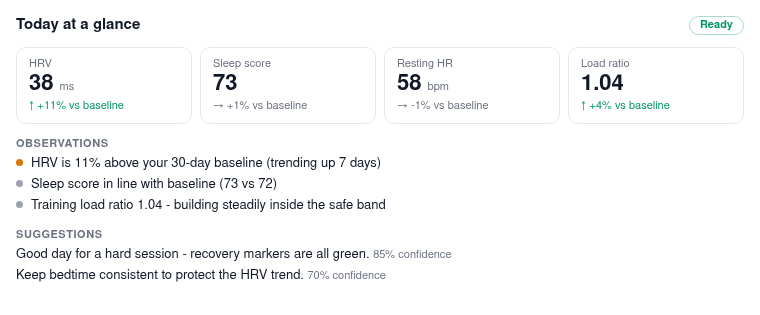
- Ships a built-in MCP server with OAuth sign-in, so an AI assistant can answer "should I train hard today?" from your overnight HRV vs your baseline — including a rendered in-conversation card in clients that support MCP Apps:
Features
Data Storage: - Sleep data with HRV and sleep stages - Nightly Recharge (ANS charge, recovery metrics) - Daily activity (steps, calories, zones) - Exercises/workouts with detailed metrics
Analytics: - Personal baselines with IQR-based anomaly detection - Rolling averages (7-day, 30-day, 90-day) - Automatic anomaly alerts (warning/critical severity) - Analytics readiness tracking (feature unlock by data availability) - Training load ratio monitoring - Sleep-HRV correlation analysis (Spearman) - Overtraining risk scoring (multi-metric composite) - Trend detection (7-day vs 30-day baseline) - Unified insights API with natural language observations
Deployment: - Self-hosted mode: Single user, PostgreSQL, Docker - SaaS mode: Multi-user, PostgreSQL, Laravel integration
Architecture
flowchart LR
    A[Polar API] --> B[polar-flow SDK]
    B --> C[Sync Service]
    C --> D[(Database)]
    D --> E[Analytics Engine]
    E --> F[REST API]
    F --> G[Dashboard/App]
Python data analytics engine: - Litestar (async web framework) - SQLAlchemy 2.0 (async ORM) - PostgreSQL (asyncpg) - Polars (data processing) - Strict type checking with mypy
Multi-Tenancy
Built for multi-user from day 1:
- Every database table includes user_id column
- All API endpoints scoped by user_id
- Single user for self-hosted, many users for SaaS
- Same codebase for both deployment modes
Quick Start
Self-Hosted (Docker)
docker run -d \
  -p 8000:8000 \
  -v ~/.polar-flow:/root/.polar-flow \
  -v polar-data:/data \
  --name polar-flow-server \
  stumason/polar-flow-server
API Usage
# Get sleep data
curl http://localhost:8000/api/v1/users/12345/sleep?days=30

# Get personal baselines
curl http://localhost:8000/api/v1/users/12345/baselines

# Check if HRV is anomalous
curl http://localhost:8000/api/v1/users/12345/baselines/check/hrv_rmssd/25.5

# Get detected patterns (correlations, trends, risk scores)
curl http://localhost:8000/api/v1/users/12345/patterns

# Trigger pattern detection
curl -X POST http://localhost:8000/api/v1/users/12345/patterns/detect

# Scan all metrics for anomalies
curl http://localhost:8000/api/v1/users/12345/anomalies

# Get unified insights (baselines + patterns + observations)
curl http://localhost:8000/api/v1/users/12345/insights

# Check analytics feature availability
curl http://localhost:8000/api/v1/users/12345/analytics/status

# Trigger sync
curl -X POST \
  -H "X-Polar-Token: your_token" \
  http://localhost:8000/api/v1/users/12345/sync/trigger
Links
- Quick Start Guide
- Integration Guide - Laravel/SaaS integration
- Architecture
- API Reference
- GitHub Repository
- polar-flow SDK
- LLM-Friendly Docs - Aggregated text for AI tools